
Bebi: Baby Games for 2-4y kids
Bebi Family: preschool learning games for kidsEducational
4.619.93K Reviews
- Version
- 10.09.86
- Installs
- 10.00M
- Age Rating
- Everyone
Screenshots
Our Review of Bebi: Baby Games for 2-4y kids
 Analysis by Appyee
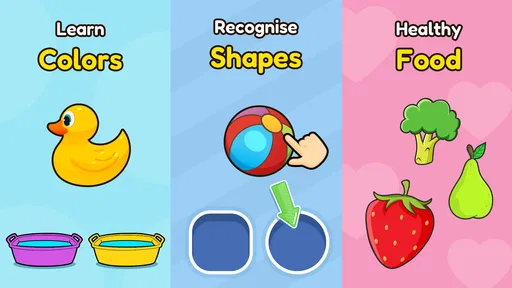
When a preschooler gets restless during a short wait or a quiet moment at home, a simple game can be a welcome distraction. I’d treat Bebi: Baby Games for 2-4y kids as a small collection of early-learning activities, rather than a substitute for books, conversation, or hands-on play. Its appeal is the mix of playful tasks around colors, shapes, puzzles, and letters, presented for young children who are still learning how to tap, match, and explore.
Where a young player may get stuck
Toddler games can look easy to an adult but still ask a lot from a two- or three-year-old: notice a prompt, understand what it asks, and make a controlled touch on a small screen. I would expect some trial and error, especially when a child is new to touchscreens or has not yet learned to wait for instructions. Sitting nearby for the first session helps you see whether your child understands the activity or is simply tapping at random.
That first session is also a useful way to judge the fit. A child who enjoys matching and repeating actions may settle into these activities quickly, while one who prefers physical toys may lose interest after a few rounds. I would keep expectations modest: this is a way to practise familiar early concepts in a game format, not a course that guarantees a particular learning result.
Simple checks before handing over the device
Before starting, I’d make sure the device has enough battery, the volume is comfortable, and the screen is set up where a child can reach it without holding the phone awkwardly. If you’re planning to use the game away from home, try it while you still have time to help. That gives you a chance to confirm that it opens and that your child can manage the basic taps without turning a short break into a troubleshooting session.
The game is free to download, but it also offers in-app purchases, ranging from $1.49 to $129.99 per item. That makes it sensible for an adult to check purchase settings before handing a device to a child. The store summary highlights a no-ads experience, which is reassuring for a toddler’s activity, but I would still keep purchases protected and supervise a young child’s use rather than relying on the app alone to prevent unwanted taps.
What is Bebi All About?
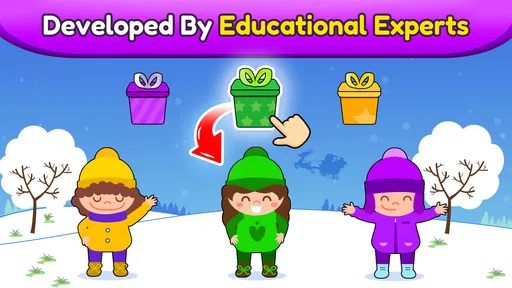
So, what’s the scoop on Bebi: Baby Games for 2-4y kids? Well, this app is a colorful playground jam-packed with interactive games designed for the curious minds of toddlers. It’s like having a mini preschool right in your pocket! From puzzles to musical games, it covers a variety of activities that cater to different learning styles.
The Game Selection
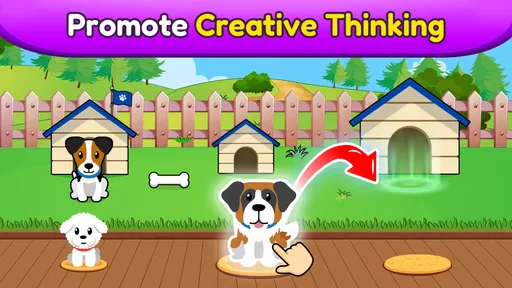
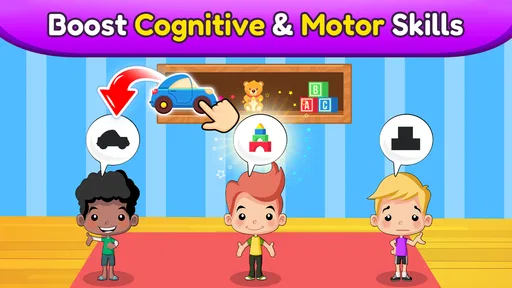
Bebi offers an impressive array of games that focus on developing essential skills. You’ll find games that help with hand-eye coordination, memory, and problem-solving. Each game is thoughtfully crafted with vibrant graphics and engaging sounds. Trust me, your kids will be hooked!
Some of the standout games include:
- Shape Sorter: A classic game where kids match shapes to their corresponding slots. It’s great for spatial awareness.
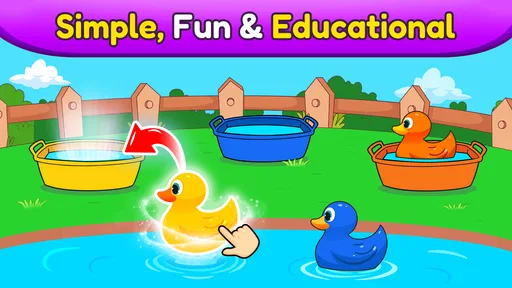
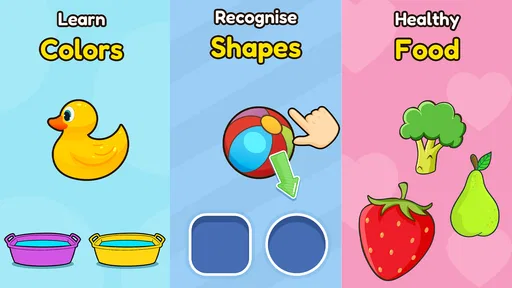
- Color Matching: This one helps kids learn colors in a playful way. Plus, it’s awesome for visual memory.
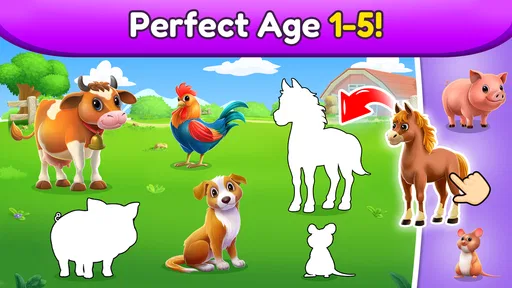
- Animal Sounds: Who doesn’t love animal sounds? This game teaches kids about different animals and the sounds they make.
Choosing a good moment to play
I find short, calm windows more useful than treating a toddler game as a way to fill a long stretch of the day. For example, while waiting for a meal to cool or sitting in a waiting room, an adult can choose one activity, watch how the child responds, and then stop when attention starts to wander. That makes it easier to keep the experience deliberate instead of letting the screen become the default answer whenever a child is bored.
A small practical tip is to ask the child to name or point to what appears on screen before tapping. When a color or animal comes up, you can connect it to something nearby: a red cup, a toy dog, or a shape in a picture book. That turns a screen interaction into a quick conversation and gives you a better sense of whether the child is recognising the idea or only enjoying the animation and sound.
The collection is likely to suit families who want several kinds of basic learning activity in one place, especially if a child enjoys repetition and visual prompts. It is less compelling for a child who wants open-ended building, drawing, or pretend play; those interests may be better served by physical blocks, crayons, or a different kind of app. I would also skip it as a solo activity for a child who still needs close help handling the device.
User Experience
One of the first things I noticed was how intuitive the app is. The interface is user-friendly and designed with little fingers in mind. The navigation is smooth, and there are no pesky ads popping up, which is a huge relief. You can let your kids play without worrying about them accidentally buying something or getting lost in the app.
Another cool feature is the parental control. You can set timers to limit screen time, ensuring that your kids aren't glued to the screen all day. It’s like having a built-in nanny!
Getting back on track when something goes wrong
If a young player gets confused, I would first pause and show one action slowly rather than repeatedly tapping around on their behalf. A child may need to see that a shape is meant to be moved to a matching place, or that a prompt is asking for a choice. If the game stops responding, closing and reopening it is a sensible basic step; if the whole device is sluggish, restarting the device and checking that it has room to run are reasonable general checks.
It also helps to separate a child’s difficulty with a task from a technical problem. If the screen responds but the child cannot work out what to do, choose another activity or take a break rather than treating the moment as a failure. For a toddler, frustration can arrive quickly, and a short reset often makes more sense than trying to push through a game.
Bebi runs on Android 6.0 or later, and the current version is 10.09.44. If it will not install or launch, I’d check that the device meets the operating-system requirement and that the app is updated through the usual app-store process. Those checks won’t solve every device issue, but they are a better starting point than assuming the game itself is broken.
Learning Through Play
What I really love about Bebi is how it seamlessly blends learning with play. The games are not just mindless entertainment; they’re designed to stimulate cognitive development. Kids learn best when they’re having fun, and Bebi nails this concept. It’s a win-win for both parents and kids.
One day, I caught my little one repeating the animal sounds she learned from the app, and it was the cutest thing ever! It’s moments like these that make you realize the app is doing its job.
What it can—and cannot—replace
Compared with a single-purpose alphabet or shape app, this collection gives a parent more variety without switching between several activities. That convenience is its clearest advantage. The trade-off is that children who are ready to focus deeply on one subject may get more from a dedicated activity, a storybook, or a parent-led game that can adjust to their questions. I see Bebi as a handy supplement, not a replacement for those richer back-and-forth experiences.
It is also worth remembering that cheerful feedback is not the same as proof that a child has mastered a concept. If your child matches colors in a game, follow up later with real objects and see whether the idea carries over. That is a useful way to make screen time more meaningful without turning play into a test. The same approach works with shapes and animal sounds: keep the follow-up casual and let the child lead.
The app is rated for Everyone, but the intended activities are aimed at very young children, so an adult still has a role. The age label does not mean every child will be ready for every activity or able to use a device independently. I would keep sessions within the family’s usual screen-time boundaries and stop if the child becomes overstimulated or starts tapping without interest.
The Verdict
So, is Bebi worth downloading? Absolutely! It’s a fantastic tool for parents looking to enrich their child’s early learning experience. With its engaging games and educational value, it’s a delightful addition to any parent’s app collection.
Whether you’re at home or on the go, Bebi is a great way to keep your kids entertained while ensuring they’re learning something new. So go ahead, give it a download, and watch your little ones explore the world of learning through play. Happy gaming!
Who I would recommend it to
Bebi is a reasonable choice for a family looking for a free starting point in preschool-style digital play, with the option of in-app purchases and a no-ads promise in its store summary. It has an average rating of 4.6 from around 240,000 ratings, and more than 10 million installs, so it has clearly reached a large audience. It is made by Bebi Family: preschool learning games for kids, and it was released on July 17, 2019.
My practical recommendation is to try it together first, then decide whether your child returns to it willingly and whether the activities encourage conversation rather than passive tapping. If you want a brief, colourful way to revisit early concepts, it may earn a place on your device. If you need a fully hands-off babysitter, a structured teaching program, or a game tailored to one specific skill, I would choose another approach. Used in short, supervised moments, it can be a pleasant addition to a toddler’s play routine.
Privacy and Permissions
See what permissions an app requests and how it handles your data.
- Photos/Media/Files
- read the contents of your USB storage, modify or delete the contents of your USB storage
- Storage
- read the contents of your USB storage, modify or delete the contents of your USB storage
- Wi-Fi connection information
- view Wi-Fi connections
- Other
- view network connections, full network access, control vibration, prevent device from sleeping
Verdict
Strengths of Bebi: Baby Games for 2-4y kids
- Engaging and colorful graphics.
- Intuitive interface for young children.
- Wide variety of educational games.
- Offline play available.
- Parental controls ensure safety.
Limitations of Bebi: Baby Games for 2-4y kids
- Limited free content.
- In-app purchases can be costly.
- Some games may be repetitive.
- Requires regular updates.
- Occasional ads interrupt gameplay.
Other Releases by Bebi Family: preschool learning games for kids
View All
Baby Puzzle Games for Toddlers
Educational4.7

Baby Games for 1-3 Year Olds
Educational4.5

ABC Games: Phonics & Tracing
Educational4.7

Coloring games for kids: 2-5 y
Educational4.3
Similar Picks in This Category
View All
Little Panda Policeman
BabyBus4.0

Monster Trucks Game for Kids 2
Raz Games4.1

Little Panda's Chinese Recipes
BabyBus4.4

Little Panda's Restaurant
BabyBus4.4

Little Panda's Ice Cream Games
BabyBus4.3

Baby Panda Care
BabyBus3.8
Frequently Asked Questions
What age group is Bebi: Baby Games designed for?
Bebi: Baby Games is specifically designed for children aged 2 to 4 years. The app offers age-appropriate activities that support early learning and development, catering to toddlers and preschoolers. The games encourage cognitive skills, hand-eye coordination, and creativity, making it an excellent educational tool for young children.
What types of games are included in the app?
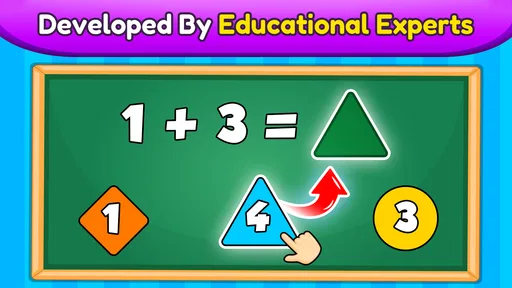
Bebi: Baby Games includes a variety of interactive and educational games tailored for young children. These games focus on basic skills such as counting, color recognition, shape identification, and simple puzzles. The app aims to make learning fun through engaging animations and sounds that capture a child's attention.
Is Bebi: Baby Games safe for my child to use?
Yes, Bebi: Baby Games is designed with child safety in mind. The app is ad-free and does not contain in-app purchases, ensuring that children can play without accidental purchases or exposure to inappropriate content. Parental controls are also available to monitor and manage the child's usage.
Can Bebi: Baby Games be used offline?
Yes, Bebi: Baby Games can be used offline. Once the app is downloaded and installed, children can enjoy the games without needing an internet connection. This feature makes it convenient for use during travel or in areas with limited connectivity, ensuring uninterrupted playtime for your child.
Is there a cost associated with downloading Bebi: Baby Games?
Bebi: Baby Games offers a free version with limited content to try out. For access to the full range of games and features, a one-time purchase or subscription may be required. The app provides clear information about any costs upfront, allowing parents to make informed decisions before downloading.
Play our best games!


